
In this forth episode Al Holloway, Learning Technologist at University of Northampton talks to School of Education staff member Jean Edwards on her use of WordPress for student communication.
LearnTech Podcast Episode 3
In this third episode Al Holloway, Learning Technologist at University of Northampton talks informally to School of Health lecturer Anne Segalini on her use of Google Sites.
Introducing The App Cafe
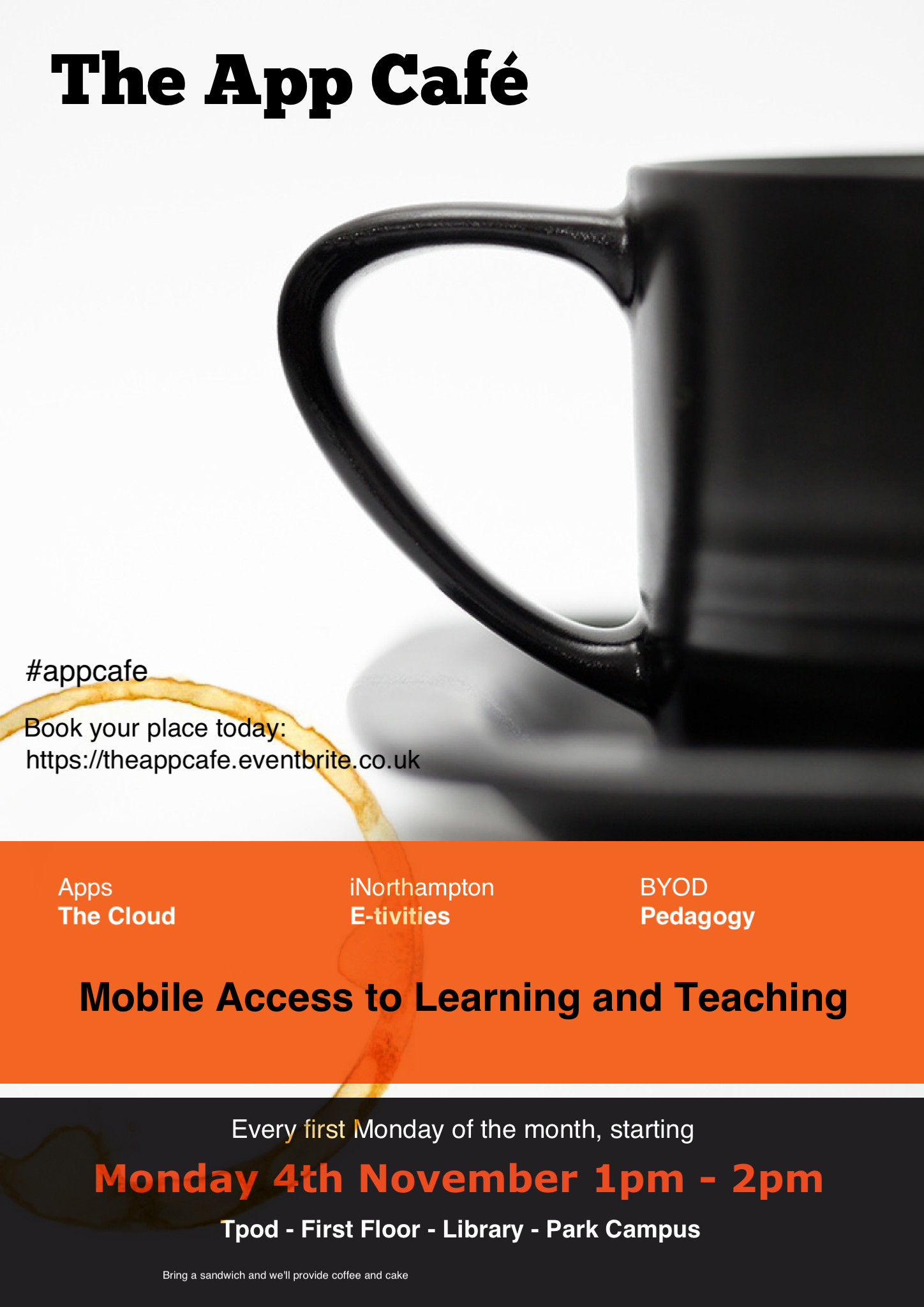
Providing Mobile Access to Learning and Teaching
The Learning Technology team are pleased to announce a new monthly lunchtime event for all staff at the University of Northampton.
With more and more people accessing the internet via mobile devices, The App Cafe provides an opportunity to look at the implications of mobile devices and apps in HE and how we can better use them in learning and teaching. This first App Cafe will look at the top five essentials for going mobile and consider some different apps that you can start to use easily in a learning and teaching context.
We want to hear from you. This is a participative ‘by you, for you’ event with an opportunity each month to share the apps you already use in the classroom with fellow staff across all disciplines.
With take-aways like ‘Your 5-a-month’ (top apps for learning and teaching), coffee and even cake, this is one lunchtime event in LLS you shouldn’t miss.
First Monday of the month, starting 4th November 2013 | 1-2pm | in the TPod, Park Library
Book your place by signing up today: https://theappcafe.eventbrite.co.uk
We hope to see you there!
NILE Menu items – Who turned the lights out?
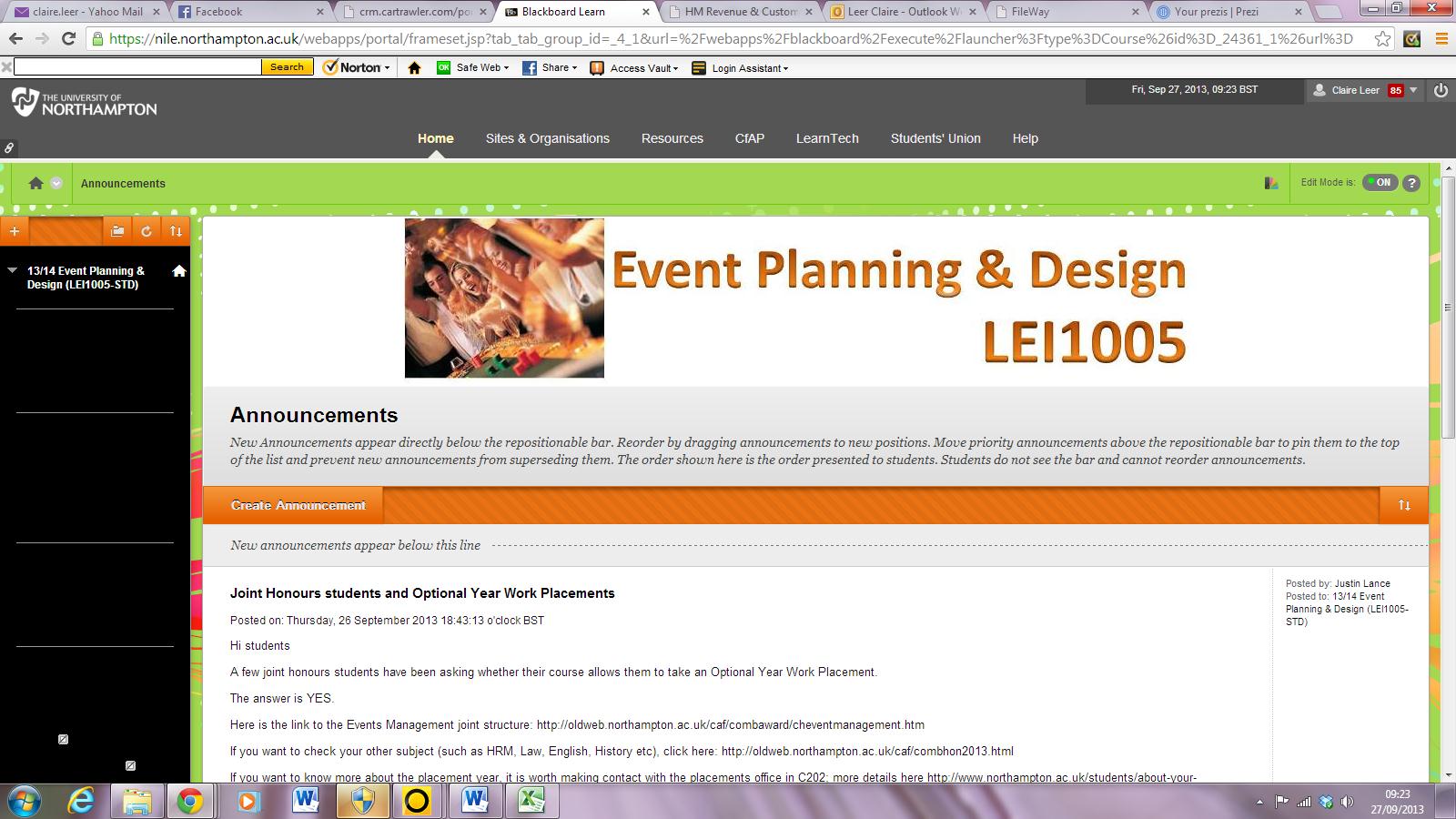
Following the NILE upgrade over the summer, some NILE sites have been responding badly to the use of styles and the menu area has changed to black on black. Blackboard are aware of the issue and will fix it in a subsequent upgrade.
In the interim, if you find your site affected, follow these steps:
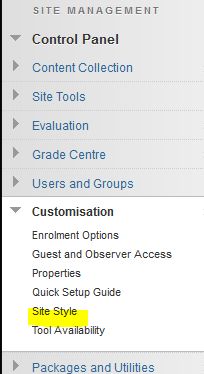
1. Open the Site Manager, customisation, site style menu item
2. Chose a contrasting background or type in ‘dedede’ into the code value box for a standard ‘NILE Grey’ background.
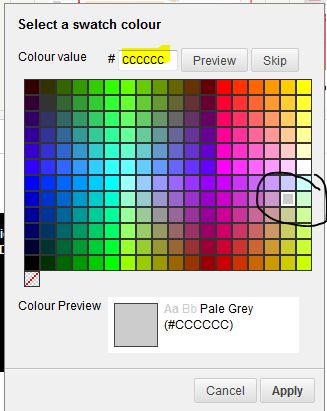
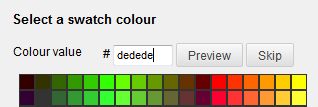
3. ‘Submit’ to save changes
Apologies for the inconvenience – we will make another posting or announcement when this is fixed.
Case Study: Using Discussion Boards to improve efficiency
Business School lecturer Maggie Anderson is a recent convert to the benefits of using Discussion Boards in NILE to increase her efficiency by vastly reducing the amount of email traffic she receives from students about module related issues, particularly where there is a large student cohort. During a CAIeRO session Maggie commented on the difficulties of repeat email traffic. Her case study reflects on the successes of introducing a Frequently Asked Questions forum and how she has adopted this approach more widely in other modules. She also reflects on the wider pedagogical benefits she observed as a result. Read her case study to find out more!
Case Study: Using Journals to improve the value of formative feedback/feedforward
Have you ever wondered if students bother to read the feedback that you so carefully provide them with? Have you ever been overloaded with providing formative feedback that students can use without necessarily engaging more deeply with your advice?
In this case study, Maggie Anderson, Senior Lecturer in Human Resources Management in NBS, reflects on how addressing this issue through the CAIeRO process changed her pedagogical approach to the provision of formative feedback/feedforward and how the Journal tool can be used to encourage earlier student engagement and increase individual learner responsibility.
One Lecturer’s View on her First CAIeRO
The CAIeRO process is being increasingly implemented here at Northampton as word spreads about the benefits it offers. In this case study, Dr Angela Rushton, Programme Leaders for the MSc/MA International Marketing Strategy at Northampton Business School, reflects on her experiences of the CAIeRO undertaken in conjunction with Dr Rachel Maxwell from the Learning Technology Team.
The process itself involves re-visiting a module’s learning outcomes, ensuring that the assessments align with those outcomes (i.e. that you are assessing what you said you would assess on) and then finding and/or creating learning resources that provide learners with the necessary information and skills to successfully complete the assessments. The result is a module where all the component parts are aligned and which results in an improved student experience where the student journey through the learning materials is clearly and logically signposted.
If you are unsure as to whether or not the CAIeRO is for you, this case study should help clarify your thinking!
Embedding Box of Broadcasts content – update
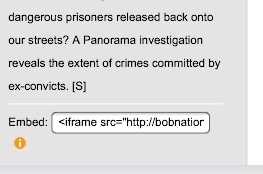 NILE users familiar with embedding HTML code into items to display Box of Broadcasts (BoB) content need to make a small adjustment to ensure they continue to work on new web browsers.
Firefox version 23, which will begin to appear very soon, will refuse to display content which comes from a non-secure (http rather than https) source. Although the browser does indicate a problem in the address bar, many users will not notice it and be faced with a blank page. Other browsers will begin to refuse to display this content too.
To avoid this problem, when copying the code from BoB that is provided (see image), you should change the first ‘src=http://’ to ‘src=https://’.
We are working with BoB to get this embed code updated and have already converted all existing BoB links in NILE to ensure they will continue to work. If BoB material created since September fails to display, you may need to correct the link as indicated.
More information on adding BoB content can be found on the NILE help tab.
LearnTech Newsletter – August 2013
NILE Updates
NILE Upgrade
Between July 21st 3pm BST and July 22nd 3am BST, NILE was upgraded to the latest version.
More details at: http://blogs.northampton.ac.uk/learntech/2013/05/05/nile-summer-upgrade-2013/
Top 5 NILE tips for Summer 2013
If you do nothing else on NILE then please look at the top 5 actions to complete on NILE this summer. More details at:
http://blogs.northampton.ac.uk/learntech/2013/06/13/top-5-tips-things-to-do-on-nile-for-summer-2013/
NILE Archiving
LearnTech are actively managing the space allocated to us by Blackboard for the NILE system to avoid any unnecessary subscription charges. As we have material on the system which dates back several years, we have archived sites that are no longer being actively used. The sites chosen to archive have creation dates of 2007 (which includes information dating from as far back as 2003) and 2008. If you notice an old site missing from your NILE listing then please contact us before 6th September. More details at:http://blogs.northampton.ac.uk/learntech/2013/05/24/old-nile-site-archiving-june-2013/
Planning for 2013/14 NILE sites
Rachel McCart is working with the team to assist academic staff with migrating and setting up NILE sites for the 2013/14 academic year. She is specifically, administrating site copies, merging modules and setting up Turnitin for 13/14 NILE modules – requests for work on modules within the current academic year are being dealt with by the rest of the team.
For more details: http://blogs.northampton.ac.uk/learntech/2013/03/13/201314-nile-site-templates/
NILE Uptime
Did you know that NILE over the past year was available 99.91% of the time (including nights, weekends and all holidays). Remember that you can directly access NILE and bypass the University website by going to http://nile.northampton.ac.uk More details at
http://blogs.northampton.ac.uk/learntech/2013/06/09/can-nile-ever-be-unavailable/
LearnTech Events
Staff development
Scheduled LearnTech events until December 2013 are now available to view and signup using the links below. More details at:
If you need further development and cannot make one of the scheduled dates (or need the event more urgently) – just get in touch with your LearnTech representative.
SaGE (Submission and Grading Electronically)
10 Steps to SaGE
The most common method of marking online will be using Turnitin. The guidance for this has now been reduced to 10 steps which will form the basis for all staff “SaGE Essential” training sessions. This process is the finalised form which all staff should be aware of when dealing with marking online.
Staff wishing to explore alternative methods of marking online should contact the LearnTech team.
Turnitin iPad app
The new Turnitin iPad app has been made available to download from the App store.
The app allows many of the features that are available on larger devices such as originality report, Grademark, rubrics and audio feedback.
Of particular interest to those having to mark ‘on the move’ is the ability to download papers to mark offline and then resynchronise when reconnecting to the net.
Due to the very small nature of the marking screen, the iPad app should not be used as a primary marking device but may be used to provide some flexibility to those marking whilst travelling.
Review the promotional video to see more on the key features.
Staff should contact their School Learning Technologist for further support and guidance before using the Turnitin app!
Mobile Updates
There is a new release of Blackboard Mobile Learn which should be available to download / update by the end of August. This app will allow mobile access to NILE for both staff and students and is one of the key springboards from iNorthampton in addition to being a useful app in its own right.

iNorthampton is also currently undergoing a revision which will add new functionality to the maps in addition to allowing for in-app updates rather than having to re-download each time. More news once this is ready to release.
Who are your LearnTech contacts ?
The full team list is at: http://www.northampton.ac.uk/info/200309/technology-enhanced-learning/1160/contact-us
The support address for the team for any Learning Technology related issues is LearnTech@northampton.ac.uk
Blogging and BA Fashion
 First year fashion and surface design students have been given a fantastic opportunity to receive a substantial scholarship of £15,000. The Maggie Barwell Scholarship is awarded for ‘excellence’ and the full amount is given to support one fashion or surface design student spread over the duration of their degree studies exclusively at The University of Northampton.
A brief for applying for the scholarship was created. First year students applied for the award by presenting a selection of their first term’s work and creating a statement of intent with regard to their studies and their future aspirations. It was decided that the students should present their statement and examples of their work in a creative way through a blog using the MyPAD system. We have run the scholarship successfully in this way for the past 2 years.
Asking first year students to use a blog to present their work we feel is the way forward, and we supported any student to apply for the scholarship through a series of workshops where a member of the Employability team came and worked with the students to show them how to use the web tools effectively …
Watch the video: BA Fashion and Blogging
View blog examples: Example 1; Example 2; Example 3
Read more about the blogs: Using MyPAD Blogs