LearnTech Training Sessions October to December 2013


SaGE Essentials

This session is for both staff who are new to Submission and Grading Electronically (SaGE) and those who need a refresher on the current process. The event will cover the SaGE workflow including marking in Turnitin;  passing grades to the NILE gradecentre; downloading grades to send to the SATs; and working with the External Examiner. (12 places)

Date (s) Time
9/10/13 9:30-12:00
15/10/13 2-4:30
25/10/13 9:30-12:00
31/10/13 2-4:30
4/11/13 9:30-12:00
13/11/13 9:30-12:00
21/11/13 2:00-4:30
25/11/13 2:00-4:30


Register on https://www.eventbrite.com/event/7917592733


Adding value to your SaGE experiences [NEW]

Available for staff who already have SaGE experience but would like to attend a small group session to review their current processes and see if anything may be changed or improved

(Limited to 4 places)

Date (s) Time
23/10/13 9:30-11:30
4/12/13 2-4:00


Register on https://www.eventbrite.co.uk/event/7918363037


SaGE Beyond the Basics (Rubrics)

A dedicated session for those who have already attended the SaGE Essentials session and are confident with the basic SaGE workflow. The event will focus on both the Turnitin and NILE rubrics which are currently available. Rubrics are useful for specific styles of marking and may only be suitable in certain situations. (12 places)

Date (s) Time
17/10/13 2-4

Register on https://www.eventbrite.co.uk/event/7918451301


SaGE Beyond the Basics (Using the NILE assignment submission area / groups and video submissions)

A dedicated session for those who have already attended the SaGE Essentials session and are confident with the basic SaGE workflow. This event will focus on the NILE assignment submission area which may be used for both individuals and groups. It will also cover alternative styles of assignment submission such as video submissions. (12 places)

Date (s) Time
24/10/13 2-4

Register on https://www.eventbrite.co.uk/event/7918517499


NILE Essentials – Making the most of your NILE site

This session will introduce the new NILE sites which are being used for all 2013/14 module and course areas. Find out the Top Ten most common mistakes with existing NILE sites and how to avoid them to improve the student experience. Attendees will develop confidence with working in their NILE area to add new and exciting content. (12 places)

Date (s) Time
12/12/13 2-4

Register on https://www.eventbrite.co.uk/event/7918563637


NILE – Beyond the Basics (Encouraging collaboration and NILE interaction using Blogs, Journals and Wikis)

This session will allow participant to explore the Blogs, Journals and Wikis tools inside NILE which encourage greater collaboration. (12 places)

Date (s) Time
28/10/13 2-4

Register on https://www.eventbrite.co.uk/event/7918585703


NILE – Beyond the Basics (Developing assessments using Tests and Pools.)

This session will explore the test, survey and question pool tools within NILE. These tools may be used with features such as adaptive release and the performance dashboard to allow greater student interaction with content and a higher level of tutor understanding of student engagement. (12 places)

Date (s) Time
6/11/13 10-12

Register on: https://www.eventbrite.co.uk/event/7918627829


Working with sound, video and lecture recording

Find out about the most recent advances which will allow you to capture individual student presentations or whole lectures. The session will provide an introduction to flip cams, Panopto and the new video tool embedded in NILE (Kaltura). (12 places)

Date (s) Time
15/11/13 10-12

Register on: https://www.eventbrite.co.uk/event/7918651901


Increasing in class session interaction using smartboards and the voting handsets

Many opportunities now exist to increase the amount of student interaction within traditional lectures. Smartboards are located in many of the teaching spaces but are often only used to display PowerPoints. This event will introduce the range of tools which allow the Smartboard to ‘come alive’. In addition to the Smartboard, voting handsets may be used to increase the amount of feedback students provide within sessions. This event will provide practical experience on using these tools. (12 places)

Date (s) Time
19/11/13 2-4:00

Register on: https://www.eventbrite.co.uk/event/7918698039

All of the sessions above are also available on request for bespoke events (such as for Subject group training). Please contact your Learning Technologist or mail LearnTech@northampton.ac.uk for details on arranging these.

Transforming Teaching by Redesigning CPD around use of Social Learning Technologies (SLT): A Review

Thomas Cochrane and Vickel Narayan from AUT University in Auckland New Zealand have piloted the use of an intentional community of practice model to transform lecturer CPD through the embedding of mobile web 2.0 technologies (http://goo.gl/eEQLZ / DOI: 10.3402/rlt.v21i0.19226). Their research over two iterations of the course has significant implications for transforming how lecturing staff approach their role, moving from a heavily pedagogical approach through andragogy to heutagogy. Heutagogy (student-directed learning) requires lecturers to undergo a reconceptualization of their role and to take advantage of the mobility offered by the various Web 2.0 tools (including Twitter, blogs, wikis, Skype) with their own learning experiences being scaffolded through sustained engagement and support; these latter two elements proving essential to their success.

Although they offer a different approach to the five stage approach to e-learning offered by Gilly Salmon (http://www.gillysalmon.com/five-stage-model.html) Cochrane and Narayan’s approach is not new per se, just not so widely reported in academic circles. For example, they argue that “heutagogy … need not be the domain of postgraduate research students only” and having attempted a similar approach myself when teaching HNC law I would agree, but would also reflect that moving away from a didactic approach to a place where individual learners control their own learning journey requires a willingness to relinquish that control and permit a transformation of the teacher role into that of co-learner and facilitator.

Conceptualising students as transformative agents of change is not new, and the ability to take advantage of new technologies like the iPad have a real potential to see learning move up Bloom’s taxonomy to a place where creativity is not only more possible, but also more likely and even encouraged.

Cochrane and Narayan’s redesigned CPD course is actually similar to the Moderating Online Groups (MOG) / Collaborative Learning Experience Online (CLEO) CPD course co-ordinated by the Institute of Learning and Teaching here at Northampton, in that it encourages staff to take advantage of the benefits offered by new technologies and to incorporate them in the classroom by allowing them to experience using those technologies as a student. However, Cochrane and Narayan necessarily have the opportunity to provide lectures with real opportunities to implement their learning and experiment with Web 2.0 in their own learning environments as their course is run over 6 weeks as opposed to 6 hours which is the case with the MOG/CLEO. It will be interesting to see if their model can be implemented at Northampton resulting in a deeper embedding of Web 2.0 in our practice, particularly in more theoretical and academic, rather than the vocational programmes which formed the majority of the subjects taught by the New Zealand staff.

Embedding Audioboo content into NILE

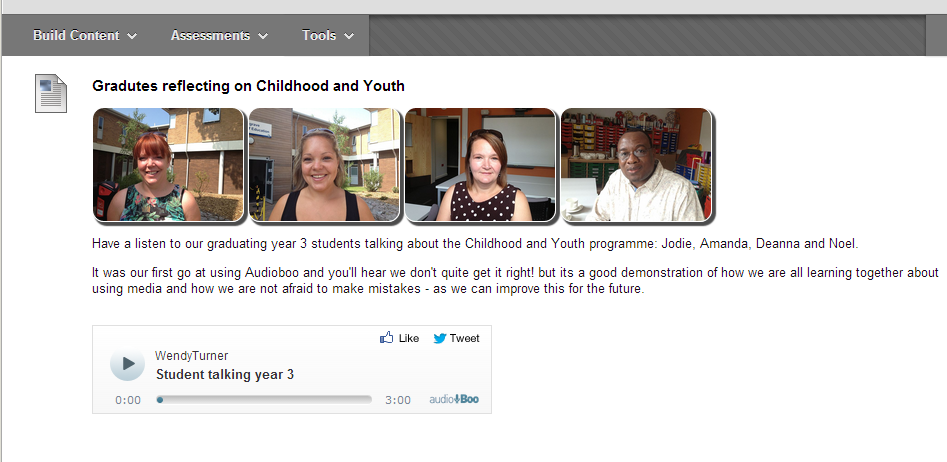
Childhood and Youth welcome page example

Audio can be awkward to create and include on a NILE site, but has considerable impact. It has been used very effectively on the BA  Childhood and Youth welcome site in conjunction with student images to provide an alternative to the often used ‘talking head’.


Audioboo is a useful website where users can upload (for free) up to three minutes of audio. Whilst not recommended for assessed work, it could be used to collect audio from students or create audio content very easily yourself (perhaps as an alternative format for visually impaired students), just by using an iPhone[1] or Android device.

There is a fairly extensive library of podcasts that can be searched too (very like YouTube) for inclusion into course material.

At first sight, it doesn’t seem possible to embed audio clips into NILE, but – with a small amount of effort – it is fairly easy to do. The attached guide walks you through the process – we hope you find it useful.

Embedding Audioboo in NILE


[1] The iPad application does not – at the time of writing – allow recording. Search for (and install) the iPhone version on your iPad if you wish to record.

New to NILE?

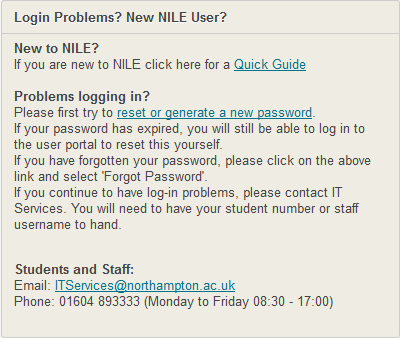
We’ve produced a short guide which we hope will enable new students and staff to navigate their way around NILE. The guide doesn’t cover everything that NILE does, but we hope it is enough to get started.

We have put a link to the guide on the front page of NILE but feel free to share this link:

bit.ly/welcometoNILE

Let us know of any errors and we’ll update the guide.

NILE login Box


Case Study: Using rubrics to mark videos

Kate Williams (Senior Lecturer in Journalism & Broadcast Journalism) has used NILE (Blackboard) rubrics in conjunction with Kaltura videos to allow her students to submit videos through the Assignment tool on NILE, embed the video into their submission, and then marked the videos using a rubric. This allowed Kate to maximise the amount of time she spent feeding back on students’ work and less time worrying about technical issues. Kate also found that by using a set of definitive marking criteria she was more consistent, objective and transparent. Click the link below to view the case study.

Using Blackboard rubrics to grade video assignments


Is your My Sites box looking a bit light?

After the upgrade on NILE over the weekend you may have noticed that the My Sites box on NILE is not always showing all your sites. This is an intentional change in the way that NILE works to help improve performance and loading times on the Home tab. It has been known for the My Sites box to delay the page loading by 40-90 seconds!

To be able to see all your sites listed in the My Sites box you need to ensure that you are enrolled on no more than 100 sites. If you are on more than this then you will encounter problems.

To remove yourself from sites that are no longer needed, use the Manage my NILE sites box. Find the box on the left of your home screen on NILE and then click the name of the site you would like to remove yourself from. On the next screen tick the box to the left of your name and click ‘Remove’. Do this for each of the sites you want to remove yourself from and once you get below that 100 sites mark, you will be able to see all your sites listed.

If you get any trouble with this, as always, just get in touch and we’ll help 🙂

Sunshine and Showers – Learntech Showcase 16th July 2013

On the 16th July, 26 staff took the opportunity to attend the Learntech showcase (Sunshine and Showers) to find out about the latest innovations in Learning Technology at Northampton.

Sunshine and Showers 16th July 2013

Those attending had the opportunity to:

  • Find out about the NILE upgrade happening on the 21st July
  • Try out the video green screen
  • Learn more about effective use of  Smartboards and voting systems
  • Try a range of video recording tools
  • Understand more about grading and rubrics in NILE
  • See how mobile devices such as the iPad may be used to enhance Learning and Teaching
  • Find out what a CAIeRO is and how it may assist course development and redesign
  • Understand more about Open Northampton and open educational resources in general

Staff feedback from the event:

Excellent 1:1 advice and immediate improvements. Thank you so much…..has saved me hours of slog and heartache

Staff are very helpful – The new NILE looks more ‘user friendly’

I like the intense enthusiasm of the LT team. The staff are very supportive.

Whether you attended and want to know more or where unable to attend then you can always contact the team at any point to followup on any ideas.

Diagramming / flow charting resource: Diagramly

I came across this useful online tool while researching diagramming tools for students as an alternative to using Visio or struggling with the horrors of Word or Powerpoint to create  them.

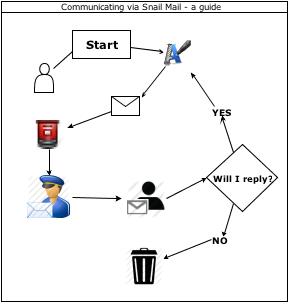
It only took a few minutes to create a simple diagram like this and export it as an image:

A flow chart created in Diagramly

The positives?

  • It’s free, there’s no registration required and collaboration over Google Drive (of a sort – just sharing really) is possible
  • Source files can be saved
  • A huge number of predefined shapes and images

The negatives?

  • You do need an Internet connection
  • Without frequent saves it is quite easy to move away and reload the page, which destroys the diagram

Find it at:

https://www.draw.io/

Mini Case Study – the Swivl iPod/iPhone mount in action

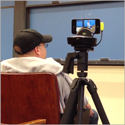
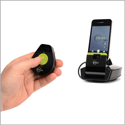
Swivl on a tripod  Swivl controller and microphone Swivl microphone

LearnTech have been trialing the Swivl  for a while, but I had my first opportunity to try it out in anger at the CAMHS Children and Young People’s Mental Heath Conference at the Sunley Management Centre on 3rd July 2013.

The organiser’s were particularly interesting in capturing video (and particulalrly audio) of two keynote addresses but had limited facilities and budget. Panopto – which is installed on the Sunley lectern – was considered but the limited range and mobility of the web cam was deemed too limiting for a guest speaker and there was a risk that the presenter would move out of microphone range. It was subsequently discovered that the first presenter had a piece of video that was important that video viewers could not view in detail. This could have been subsequently edited from the Panopto capture, but would have added complexity.

The Swivl system is designed to track and record video from an iPhone or iPod. The base unit tracks the position of the presenter using the ‘necklace’, which also contains a microphone. It is a virtually ‘one button’ system which does not distract the presenter. The device can tilt too, but this feature wasn’t required on this occasion.

A fully charged iPod could be expected to video for around 90 minutes, which is adequate for most purposes. The front or back  facing cameras can be used. The latter is higher quality, but circumstances often dictate that the front is used for visibility – as a presenter you can confirm where you are in frame from time to time. High quality means a larger file too – the low-quality front camera on an iPod Touch will generate 2GB of video in 90 minutes which is not trivial for rapid processing.

In this instance we were using Swivl as a robotic camera operator – speakers had no prior experience or training, just a short briefing on using the tracker necklace. They proved very good at managing the necklace but were unaware of the impact of their position on the camera’s perspective. A dramatic reduction in lighting during the first keynote speech had a significant impact – as an experienced self-presenter would have appreciated the issue and rectified it.

Although the free Swivl software offers direct upload to YouTube over wifi, the size of the video file made that impractical. Files were transferred to PC and uploaded to Kaltura, where they could be ‘topped and tailed’. File size makes this a little slow, but it is perfectly possible to get an hour’s presentation ready for public streaming in 2-3 hours.

The lessons learned? As a video blogger’s tool the Swivl is superb. Using it as a robotic cameraman works in ideal circumstances, but if there is no opportunity to brief presenters it is very likely to fail. Its particular strength is as an ad-hoc mobile audio capture device – for, at the very worst, the audio stream can be easily separated from the video. And the audio quality is remarkaby good.  It doesn’t capture displayed slides particularly well, but these could be edited in if required.

The first keynote presentation (after minimal editing) can be seen here : http://tinyurl.com/cahmskey1

Finally, use the power adapter or have plenty of pairs of  AA batteries around – the base uses a lot of  power (the AAA batteries in the necklace seem to last a long time – the app has a battery meter). Take more than one iPod/iPhone to avoid running out of space or power. It is a pity the base unit power supply does not charge the iPod at the same time.

More details on the equipment at www.swivl.com . The unit costs around £180. LearnTech are happy to loan the equipment, help train users and supervise pilot exercises to establish if this equipment is right for you – however, we are not an event videoing service!