
Currently viewing the tag: "NILE"

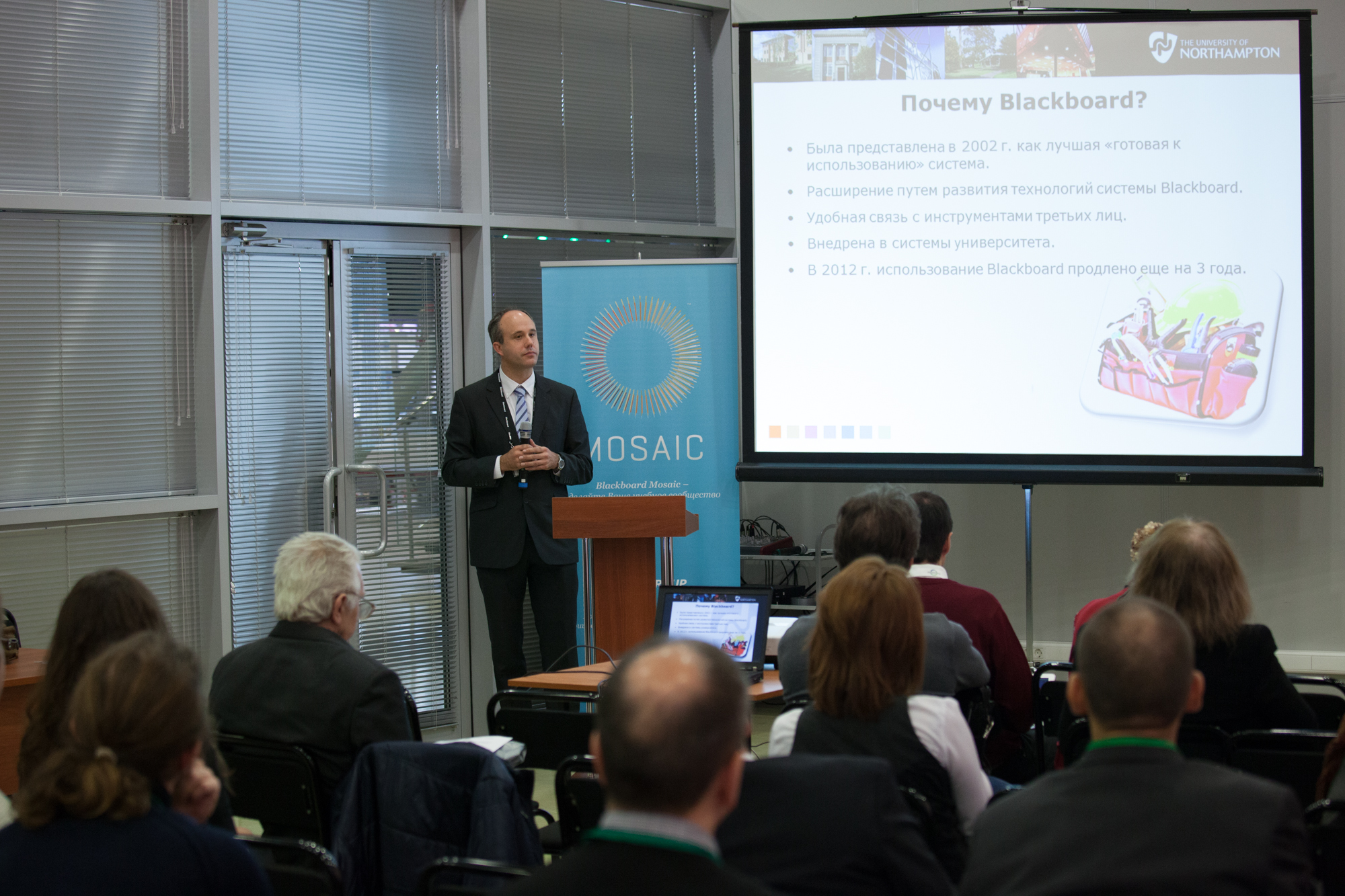
On the 31st October, 2013, Rob Howe was invited to Education 3.0 in Moscow to present on the strategic development of Learning Technology at The University of Northampton.

Rob was the only speaker from the UK and joined speakers from leading Russian institutions: FEFU, KAI, LGU, MISiS, and Ural Mining to an audience of Rectors, Provosts, Heads of IT.

The forum was part of a major education exhibition, hosted by the Ministry of Education of the Russian Federation, Government of Moscow and the Moscow Department of Education. The goal was to enhance the access to, and quality of, education through public-private partnership, promoting international best practices that will boost the personal and professional development of individuals.

The Russian government has earmarked £178 million to enable its leading national universities to break into the top 100 in the global league tables. Vladimir Putin, Russia’s president, announced plans that would see at least five of the country’s universities enter the top 100 by 2020. Education 3.0 was part of a number of events which are encouraging institutions to be more innovative in their outlook.

Rob’s presentations were developed in both English versions and Russian versions to cater for the audience at this event and an interpreter was used throughout.

There was a real interest in the Learning Technology work and developments at Northampton including our Changemaker status…..and surprisingly a question on the Northampton clown during the drinks reception ! As a result of the presentations, Northampton has already had requests for greater collaboration and potential sharing of resources between ourselves and Russian institutions.

Tagged with:
 

Providing Mobile Access to Learning and Teaching

The Learning Technology team are pleased to announce a new monthly lunchtime event for all staff at the University of Northampton.

With more and more people accessing the internet via mobile devices, The App Cafe provides an opportunity to look at the implications of mobile devices and apps in HE and how we can better use them in learning and teaching. This first App Cafe will look at the top five essentials for going mobile and consider some different apps that you can start to use easily in a learning and teaching context.

We want to hear from you. This is a participative ‘by you, for you’ event with an opportunity each month to share the apps you already use in the classroom with fellow staff across all disciplines.

With take-aways like ‘Your 5-a-month’ (top apps for learning and teaching), coffee and even cake, this is one lunchtime event in LLS you shouldn’t miss.

First Monday of the month, starting 4th November 2013 | 1-2pm | in the TPod, Park Library

Book your place by signing up today: https://theappcafe.eventbrite.co.uk

We hope to see you there!

Tagged with:
 

Affected NILE page

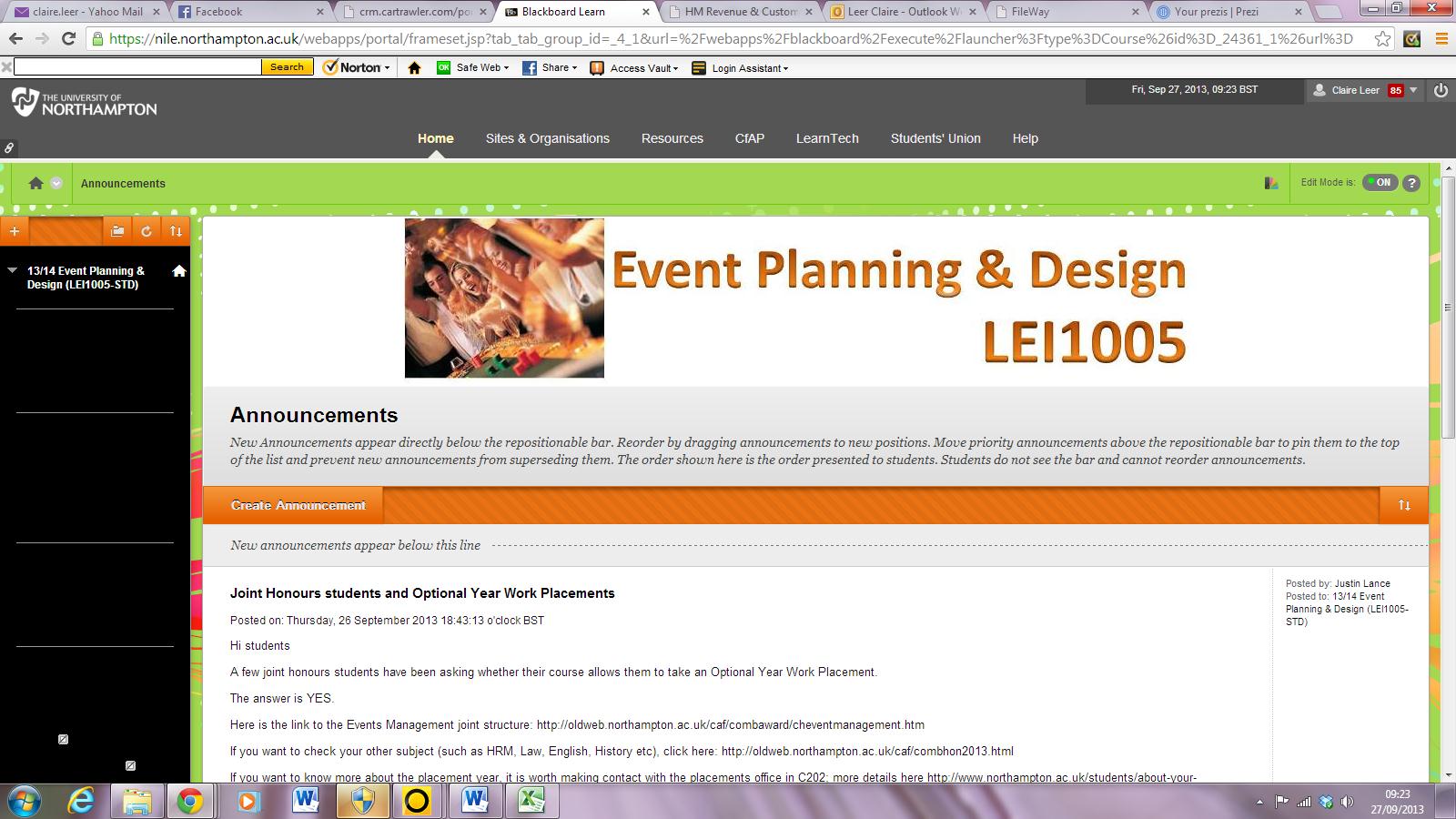
Following the NILE upgrade over the summer, some NILE sites have been responding badly to the use of styles and the menu area has changed to black on black. Blackboard are aware of the issue and will fix it in a subsequent upgrade.

In the interim, if you find your site affected, follow these steps:


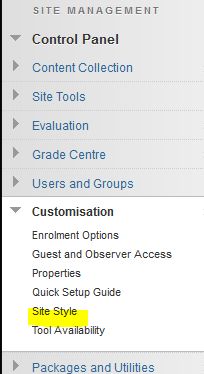
1. Open the Site Manager, customisation, site style menu item

Menu


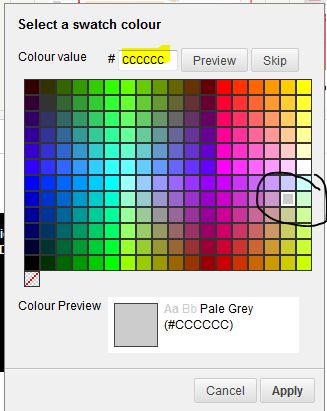
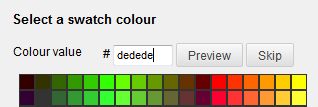
2. Chose a contrasting background or type in ‘dedede’ into the code value box for a standard ‘NILE Grey’ background.


3. ‘Submit’ to save changes


Apologies for the inconvenience – we will make another posting or announcement when this is fixed.

Tagged with:
 

Business School lecturer Maggie Anderson is a recent convert to the benefits of using Discussion Boards in NILE to increase her efficiency by vastly reducing the amount of email traffic she receives from students about module related issues, particularly where there is a large student cohort.  During a CAIeRO session Maggie commented on the difficulties of repeat email traffic.  Her case study reflects on the successes of introducing a Frequently Asked Questions forum and how she has adopted this approach more widely in other modules.  She also reflects on the wider pedagogical benefits she observed as a result.  Read her case study to find out more!

Have you ever wondered if students bother to read the feedback that you so carefully provide them with?  Have you ever been overloaded with providing formative feedback that students can use without necessarily engaging more deeply with your advice?

In this case study, Maggie Anderson, Senior Lecturer in Human Resources Management in NBS, reflects on how addressing this issue through the CAIeRO process changed her pedagogical approach to the provision of formative feedback/feedforward and how the Journal tool can be used to encourage earlier student engagement and increase individual learner responsibility.


SaGE Essentials

This session is for both staff who are new to Submission and Grading Electronically (SaGE) and those who need a refresher on the current process. The event will cover the SaGE workflow including marking in Turnitin;  passing grades to the NILE gradecentre; downloading grades to send to the SATs; and working with the External Examiner. (12 places)

Date (s) Time
9/10/13 9:30-12:00
15/10/13 2-4:30
25/10/13 9:30-12:00
31/10/13 2-4:30
4/11/13 9:30-12:00
13/11/13 9:30-12:00
21/11/13 2:00-4:30
25/11/13 2:00-4:30


Register on https://www.eventbrite.com/event/7917592733


Adding value to your SaGE experiences [NEW]

Available for staff who already have SaGE experience but would like to attend a small group session to review their current processes and see if anything may be changed or improved

(Limited to 4 places)

Date (s) Time
23/10/13 9:30-11:30
4/12/13 2-4:00


Register on https://www.eventbrite.co.uk/event/7918363037


SaGE Beyond the Basics (Rubrics)

A dedicated session for those who have already attended the SaGE Essentials session and are confident with the basic SaGE workflow. The event will focus on both the Turnitin and NILE rubrics which are currently available. Rubrics are useful for specific styles of marking and may only be suitable in certain situations. (12 places)

Date (s) Time
17/10/13 2-4

Register on https://www.eventbrite.co.uk/event/7918451301


SaGE Beyond the Basics (Using the NILE assignment submission area / groups and video submissions)

A dedicated session for those who have already attended the SaGE Essentials session and are confident with the basic SaGE workflow. This event will focus on the NILE assignment submission area which may be used for both individuals and groups. It will also cover alternative styles of assignment submission such as video submissions. (12 places)

Date (s) Time
24/10/13 2-4

Register on https://www.eventbrite.co.uk/event/7918517499


NILE Essentials – Making the most of your NILE site

This session will introduce the new NILE sites which are being used for all 2013/14 module and course areas. Find out the Top Ten most common mistakes with existing NILE sites and how to avoid them to improve the student experience. Attendees will develop confidence with working in their NILE area to add new and exciting content. (12 places)

Date (s) Time
12/12/13 2-4

Register on https://www.eventbrite.co.uk/event/7918563637


NILE – Beyond the Basics (Encouraging collaboration and NILE interaction using Blogs, Journals and Wikis)

This session will allow participant to explore the Blogs, Journals and Wikis tools inside NILE which encourage greater collaboration. (12 places)

Date (s) Time
28/10/13 2-4

Register on https://www.eventbrite.co.uk/event/7918585703


NILE – Beyond the Basics (Developing assessments using Tests and Pools.)

This session will explore the test, survey and question pool tools within NILE. These tools may be used with features such as adaptive release and the performance dashboard to allow greater student interaction with content and a higher level of tutor understanding of student engagement. (12 places)

Date (s) Time
6/11/13 10-12

Register on: https://www.eventbrite.co.uk/event/7918627829


Working with sound, video and lecture recording

Find out about the most recent advances which will allow you to capture individual student presentations or whole lectures. The session will provide an introduction to flip cams, Panopto and the new video tool embedded in NILE (Kaltura). (12 places)

Date (s) Time
15/11/13 10-12

Register on: https://www.eventbrite.co.uk/event/7918651901


Increasing in class session interaction using smartboards and the voting handsets

Many opportunities now exist to increase the amount of student interaction within traditional lectures. Smartboards are located in many of the teaching spaces but are often only used to display PowerPoints. This event will introduce the range of tools which allow the Smartboard to ‘come alive’. In addition to the Smartboard, voting handsets may be used to increase the amount of feedback students provide within sessions. This event will provide practical experience on using these tools. (12 places)

Date (s) Time
19/11/13 2-4:00

Register on: https://www.eventbrite.co.uk/event/7918698039

All of the sessions above are also available on request for bespoke events (such as for Subject group training). Please contact your Learning Technologist or mail LearnTech@northampton.ac.uk for details on arranging these.

Tagged with:
 

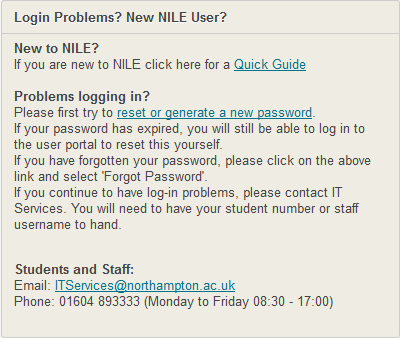
We’ve produced a short guide which we hope will enable new students and staff to navigate their way around NILE. The guide doesn’t cover everything that NILE does, but we hope it is enough to get started.

We have put a link to the guide on the front page of NILE but feel free to share this link:

bit.ly/welcometoNILE

Let us know of any errors and we’ll update the guide.

NILE login Box


Tagged with:
 

After the upgrade on NILE over the weekend you may have noticed that the My Sites box on NILE is not always showing all your sites. This is an intentional change in the way that NILE works to help improve performance and loading times on the Home tab. It has been known for the My Sites box to delay the page loading by 40-90 seconds!

To be able to see all your sites listed in the My Sites box you need to ensure that you are enrolled on no more than 100 sites. If you are on more than this then you will encounter problems.

To remove yourself from sites that are no longer needed, use the Manage my NILE sites box. Find the box on the left of your home screen on NILE and then click the name of the site you would like to remove yourself from. On the next screen tick the box to the left of your name and click ‘Remove’. Do this for each of the sites you want to remove yourself from and once you get below that 100 sites mark, you will be able to see all your sites listed.

If you get any trouble with this, as always, just get in touch and we’ll help 🙂

Tagged with:
 

The LearnTech team have collated the top 5 tips / things to do for summer 2013  (with regards to NILE)

1. All sites have now been created on NILE for 2013/14 academic year. You should check for variations of sites  as there may be various sessions associated with your modules and then merge these if needed. Rachel McCart is available  to assist with this work.

2. Once you have found your sites then you should add yourself to to them and also add additional tutors / externals (if known). Rachel McCart is available  to assist with this work.

3. Ensure that content is accurate and current (If you have copied material from an existing site then only copy what is needed. Do not copy:

  • Submit your work / Turnitin submission points
  • University Support and Resources
  • Announcements
  • Blogs
  • Grade Centre Columns and Settings
  • Group Settings
  • Journals
  • Wikis

Please ensure that you DO NOT copy any assessment submission areas, or Grade Centre columns into the 13/14 site as they need to be set up from scratch and cannot simply be copied from last year.

Check the  menu structure on the left of the NILE site to ensure this is still correct. Check the student view with edit mode turned off

4. Setup up the submission points for assessments with the correct dates for submission / release of grades. Refer to the guidance for details.

5. Make your site live.

Students will automatically be enrolled onto sites if they have reached the PRE stage and have been correctly allocated on the Student Record System.

Even if you do not require support with migrating data, merging modules, setting up turnitin, please do still contact Rachel McCart to ensure that your module/course site(s) are showing on NILE, for 13/14.  In addition, Rachel will also enrol you, and any other tutors you require, onto your NILE sites.

If you need further help and advice tthen please mail the LearnTech team or phone on  x2696

Tagged with:
 

Over the past few years NILE (the Northampton VLE) has become critical to the student experience and great efforts are taken to ensure that the service remains available at all times. The equipment behind NILE is hosted in a Tier 1 datacentre along with other critical systems such as banks and hospitals.

When anyone accesses NILE then the connection assumes that:

  • The hardware behind NILE is up and running
  • The software which is running NILE is up and running
  • The network connection between NILE and the person using it is fully working (note that 100 s of connections may be involved in making this link).

On the 25th April, 2013 there was 10 mins of unplanned downtime which led to the following tweet from a student:

“80% of grade exam tomorrow and nile goes down, f**** useless”

This led to the development of a report on NILE downtime over the past year. From May 1st, 2012 to May 1st, 2013, NILE was actually unavailable for 7 hours and 40 mins. [Some of this would have been late evening / early morning and not noticed]. On the basis that this covers a 24 hour service – this period would have a total of 8760 hours.

This gives NILE a one year uptime of 99.91% against our contracted uptime of 99.8%.

Whilst we apologise for any unplanned downtime (ideally NILE should NEVER be unavailable), Northampton has done everything possible to ensure that we have the most robust infrastruture possible – it would be interesting to see the report of any tech service which has actually been available for 100% of the time over one year – we would certainly love to be in this position.

By the way….in responding to the Tweet above, whilst most grades may be available on NILE, the official location to get student grades is at www.northampton.ac.uk/results

Tagged with: