
The new features in this month’s Blackboard’s upgrade will be available from Friday 6th November. This month’s upgrade includes the following new/improved features to Ultra courses:
Improved group search tools
Currently, when creating or managing groups in NILE, staff can only search for students not yet in a group. Following November’s upgrade staff will be able to use a new search tool to find students who are already in a group, or to search for groups by name.
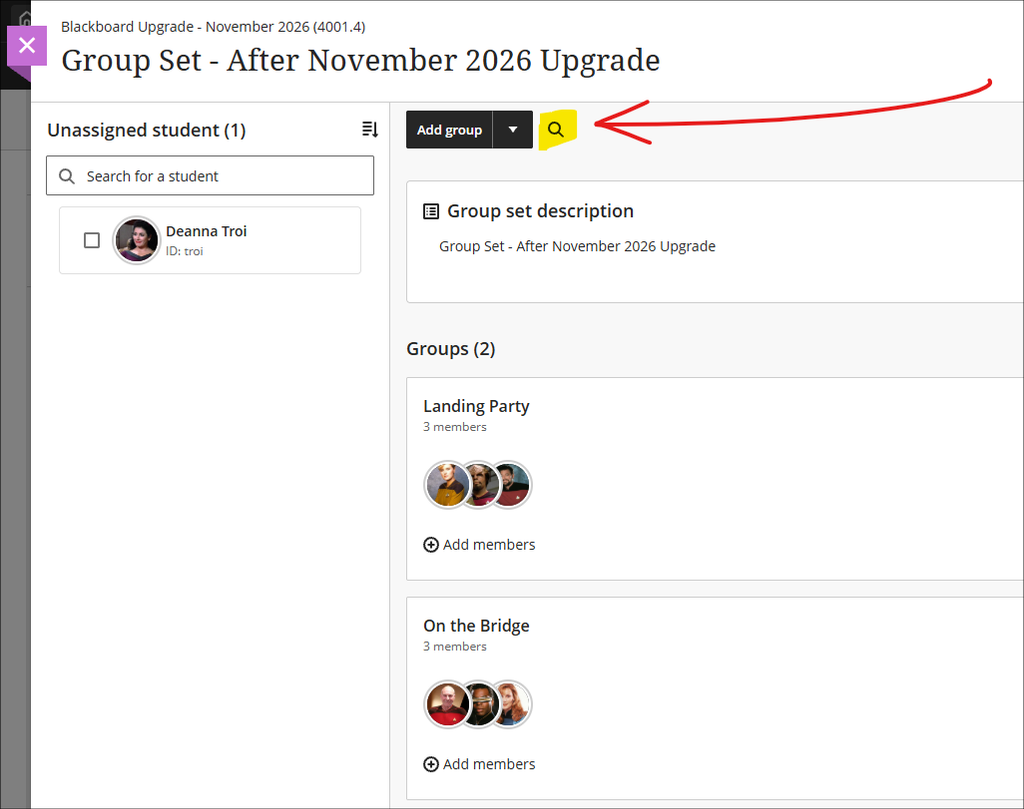
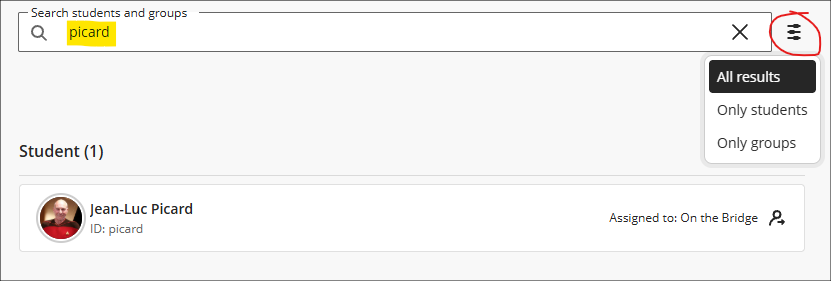
The new search tool will default to show both students and groups, but filters can be applied to show only students or only groups. Where a student is found, their group name will also be displayed. Where a group is found, the students in that group will be displayed (if it is not clear who the students are from their avatars, select the ‘Expand details’ to display the students’ names).
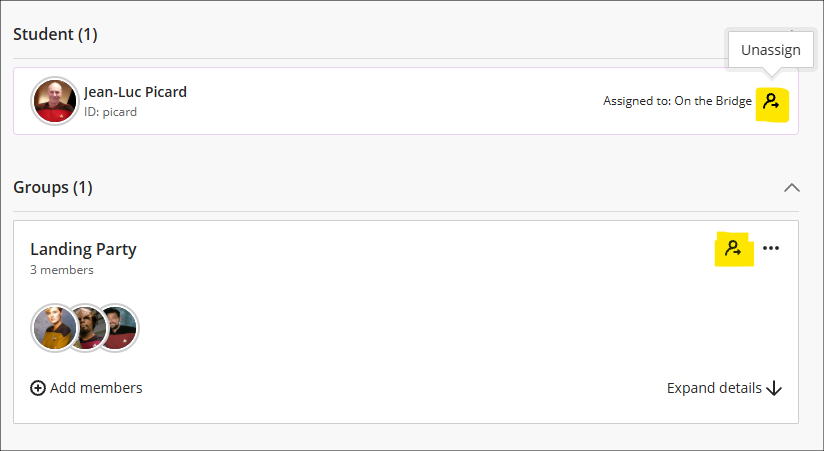
Note that the icon highlighted in the screenshot below is an ‘unassign’ tool, and selecting it will immediately remove the student from the group, or all the students from the group – no warning, confirm, or ‘are you sure?’ message is displayed when unassigning students. In the example of the student in the screenshot below, selecting the unassign button will remove the selected student, Jean-Luc Picard, from the assigned group ‘On the Bridge’. Any other students in that group will remain in the group. In the example of the group in the screenshot below, Landing Party, selecting the unassign button will immediately remove all the group members.
More information about using groups can be found at: Blackboard Help – Create and Manage Groups
Print Blackboard rubrics option
Following on from last month’s improvements to Blackboard rubrics, the November upgrade adds the option for staff to print Blackboard rubrics from the rubrics management page.
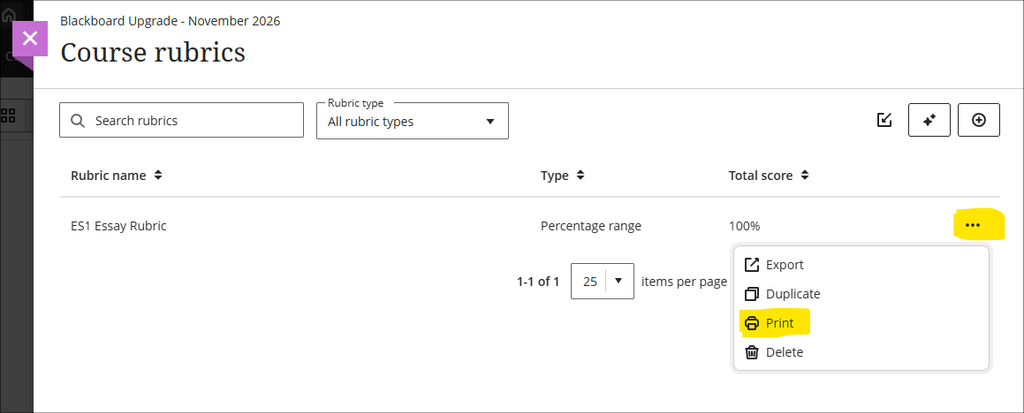
Staff can also print scored rubrics from the gradebook. When using this option, the rubric will need to be saved before being printed.
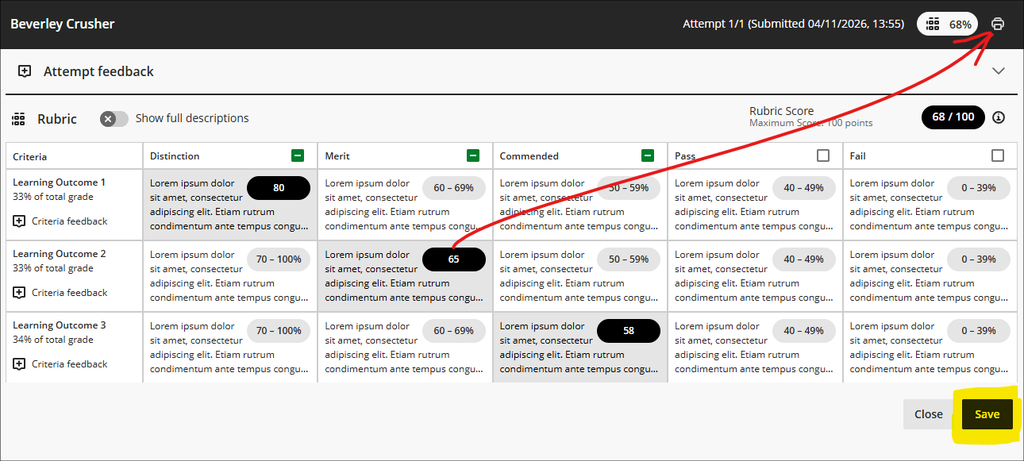
Note that when a Blackboard rubric is used with a Blackboard assignment, students will always have option to view the rubric themselves at any point prior to submission (as long as the assignment submission point is set to ‘Visible to students’ and the rubric has been attached to the assignment, and there are no release conditions preventing access). Students will also always be able access to their own scored rubrics rubrics after the assignment marks have been posted.
More information about setting up and using Blackboard rubrics is available at: Blackboard Help – Rubrics
Learning technology / NILE community group
Staff who are interested in finding out more about learning technologies and NILE are invited to join the Learning Technology / NILE Community Group on the University’s Engage platform. The purpose of the community is to share information and good practice concerning the use of learning technologies at UON. When joining the community, if you are prompted to login please use your usual UON staff username and password. By joining the Learning Technology / NILE Community you will receive calendar invitations to our regular live community events:
Join the Learning Technology / NILE Community Group
More information
As ever, please get in touch with your learning technologist if you would like any more information about the new features available in this month’s upgrade: Who is my learning technologist?