Currently viewing the tag: "Blackboard Upgrade"
The March upgrade, which will be available from Friday 4th March, includes some minor changes to way that learning modules in Ultra courses are set up and modified.
Learning Modules
When setting up learning modules after Friday 4th of March, the following panel will open up once a learning module has been selected for creation:
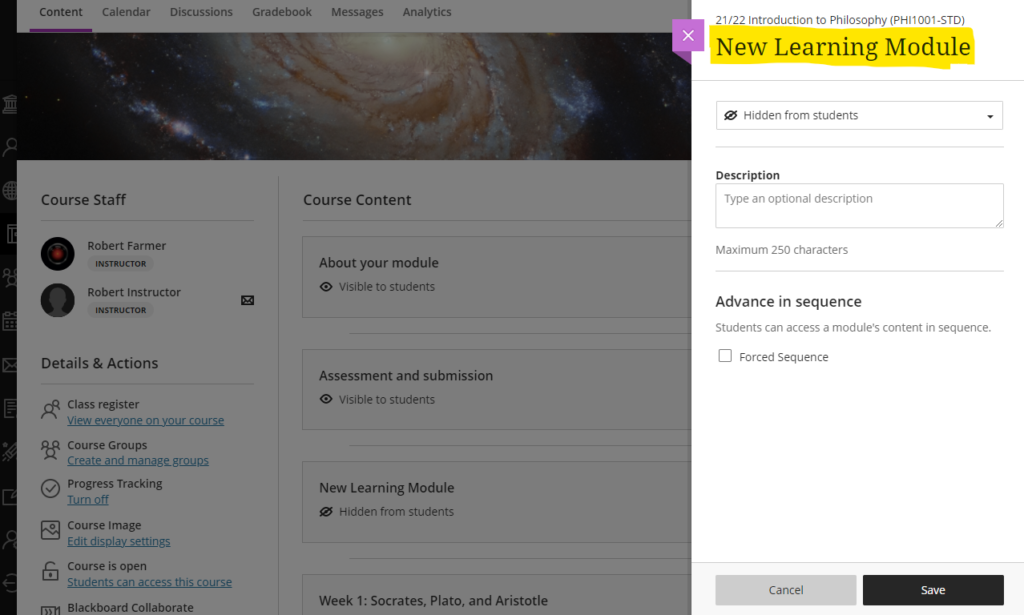
From this panel, the learning module can be named and a description can be added. The learning module availability can also be set (‘Visible to students’ or ‘Hidden from students’), or release conditions can be set allowing the learning module to be made available to all or only certain groups of students. Release conditions can also include the learning module being made visible after and/or until a particular date.
Additionally, learning modules can be set so that students have to navigate through the content in order and cannot skip ahead. To enable this, ‘Forced sequence’ should be chosen when setting up the learning module.
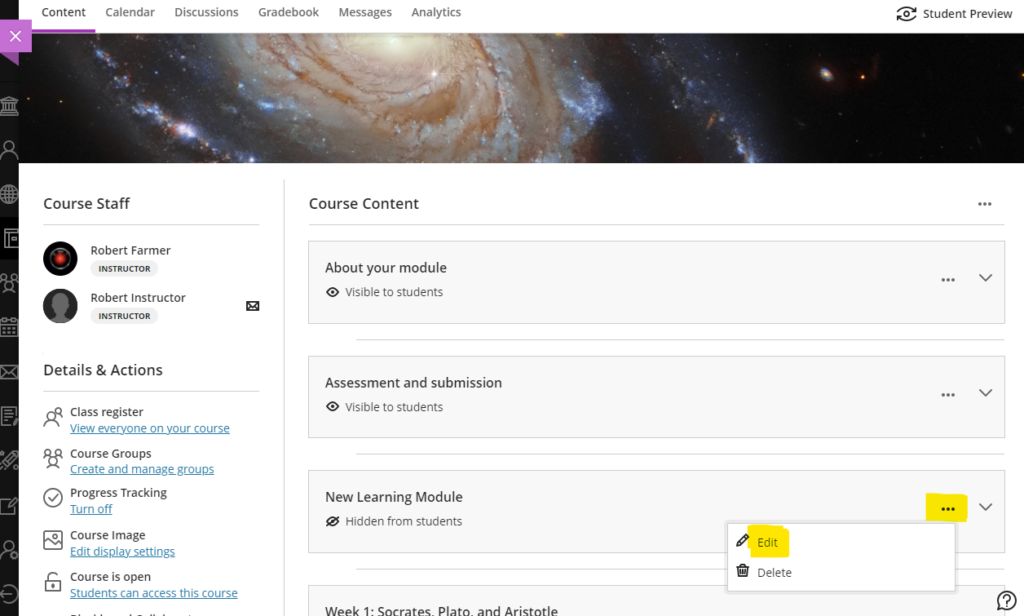
To update any of the learning module settings after it has been created, simply select the ellipsis menu on the right-hand side of the learning module and choose ‘Edit’.
Also, learning module descriptions are now visible immediately, and students no longer have to open the learning module to read the description:
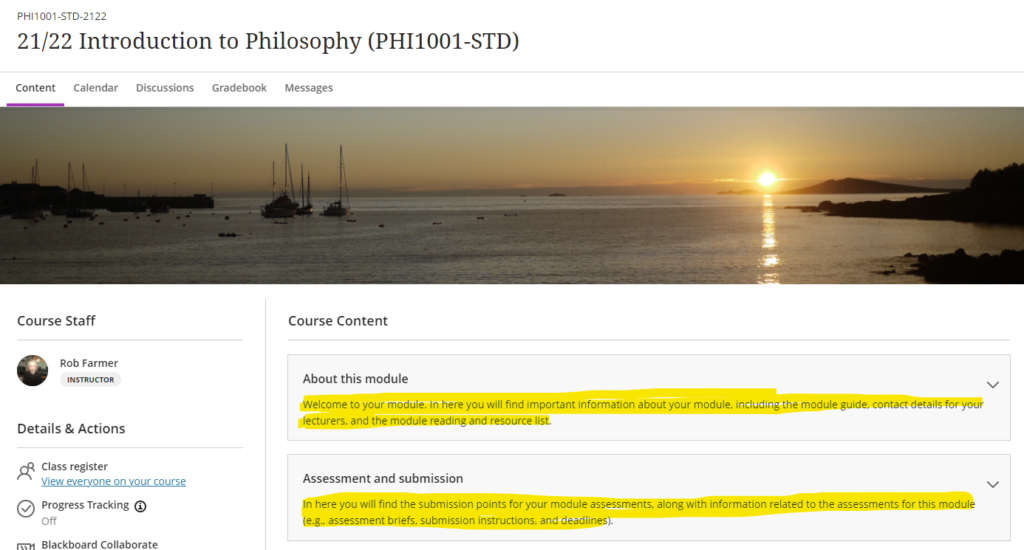
You can find out more about how to use learning modules in Ultra courses at: https://help.blackboard.com/Learn/Instructor/Ultra/Course_Content/Create_Content/Create_Containers_for_Content/Create_Learning_Modules
More information
As ever, please get in touch with your learning technologist if you would like any more information about the February upgrade: https://libguides.northampton.ac.uk/learntech/staff/nile-help/who-is-my-learning-technologist
| Sorry. The upgraded version of Blackboard scheduled to be available from the 4th of February has been delayed, and will now be available from the 11th of February. |
February’s upgrade, which will be in place from the morning of Friday 4th February, adds additional functionality to Blackboard Ultra test settings, and brings in the option for granular copying of content from Original courses to Ultra courses. Also included in the February update is a bug fix which means that the date and time shown on submission receipts for Blackboard Ultra assignments will, from Friday 4th February onwards, be the date and time that the submission was made, not when it was started. Note that this bug did not affect Turnitin assignments – the submission receipt for Turntin assignments has always shown the correct date and time of submission.
Blackboard Ultra test settings
From the 4th of February onwards, staff will be able to select two new options when setting up tests in Ultra courses:
- Prohibit late submissions
- Prohibit new attempts after due date
Selecting prohibit late submissions enforces a hard deadline and prevents students from making a late submission. In-progress and saved attempts will auto-submit at the due date, and students will receive a submission receipt via email. Specified accommodations are still respected.
Selecting prohibit new attempts after due date prevents students from beginning a new attempt after the due date.
Note that selecting ‘prohibit late submissions’ auto-enables ‘prohibit new attempts after due date.’ However, staff can enable the ‘prohibit new attempts after due date’ option on its own.
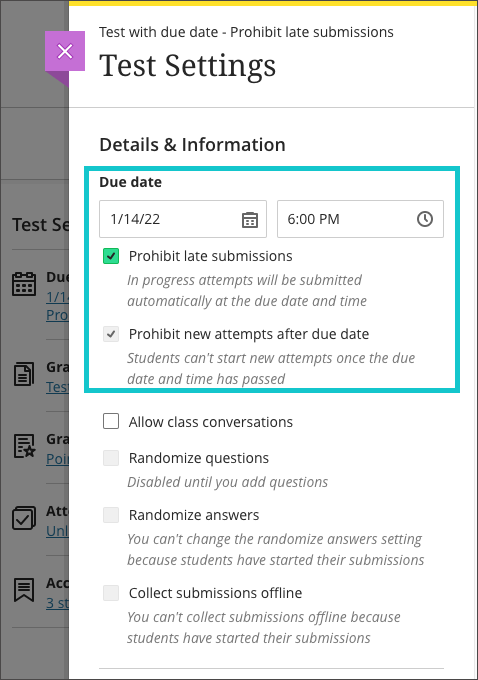
If an instructor enables the due date and/or time limit, students will see these details, as they will appear in the Details & Information section for the assessment.
Please note the current limitations with these new settings. ‘Prohibit late submissions’ does not work in combination with Peer review, Group submissions, or Offline submissions. And the ‘prohibit new attempts after due date’ setting enabled on its own does not work with Peer review, or with Offline submissions.
You can find out more about setting up tests in Ultra courses at: https://help.blackboard.com/Learn/Instructor/Ultra/Tests_Pools_Surveys/Create_Tests_and_Surveys
Granular copy content from Original to Ultra courses
Staff making use of the copy content function in Ultra courses will now find that content from their Original courses is available to copy into their Ultra courses. More importantly, and more usefully, the upgraded Ultra copy content tool allows staff to select individual elements of their Original courses, including content items, folders, and tests, to copy into their Ultra courses.
However, please be aware that content copied from Original courses into Ultra courses is transformed (or Ultra-ified) in the process, and incompatible elements are stripped out of the copy. This means that any content copied into an Ultra course from an Original course needs to be manually checked over before it is made available to students. In the case of tests, in particular, incompatible questions will be removed during the Original-to-Ultra conversion process.
More information about the Ultra copy content tool is available from: https://help.blackboard.com/Learn/Instructor/Ultra/Course_Content/Reuse_Content/Ultra_Copy_Content
Blackboard Ultra assignment receipts
Students submitting Blackboard assignments in Ultra courses will have found that the submission date and time on the receipt was the date and time that the submission was started. From the 4th of February the date and time shown on the receipt will be the date and time of actual submission.
You can find out more about setting up and using Blackboard Ultra assignments at: https://help.blackboard.com/Learn/Instructor/Ultra/Assignments/Create_and_Edit_Assignments
More information
As ever, please get in touch with your learning technologist if you would like any more information about the February upgrade: https://libguides.northampton.ac.uk/learntech/staff/nile-help/who-is-my-learning-technologist
December’s upgrade includes improvements to rubrics, accommodations, and groups in Ultra courses. Also included in the December upgrade is the ability to add a description to Ultra course banners. New features in the December upgrade will be available from Friday 3rd December.
Rubrics
Rubric types in Ultra courses have been extended to include both points and points range rubrics. The addition of qualitative rubrics is on Blackboard’s roadmap, although no date has yet been given for when these will be availalble.
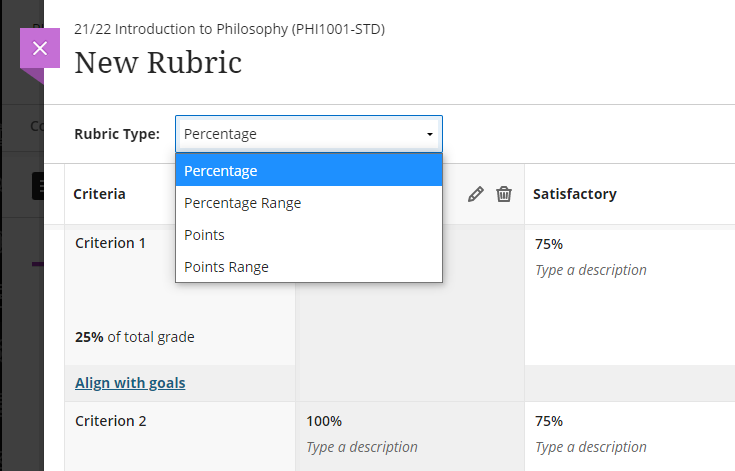
Guidance on creating and using rubrics in Ultra courses is available from: https://help.blackboard.com/Learn/Instructor/Ultra/Grade/Rubrics
Accommodations
Currently, accommodations for time-limited assessments only include the options to give an individual student +50% or +100% more time, or unlimited time. Following December’s upgrade, any percentage can be selected.
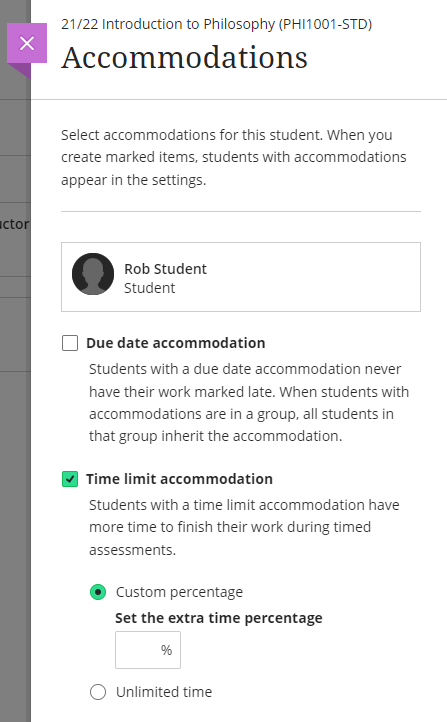
More information about accommodations for time-limited assessments in Ultra courses can be found at: https://help.blackboard.com/Learn/Instructor/Ultra/Interact/Roster#about-accommodations_OTP-2
Groups
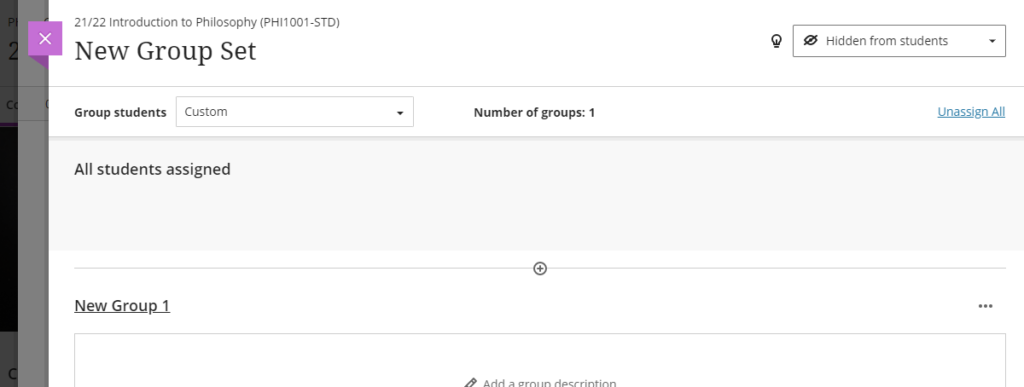
A small and subtle change to groups in Ultra courses, but following the upgrade, staff will have the option to decide whether groups are visible to students or not. This will be useful for staff who like to set up marking groups in Turnitin, for example, to manage the marking of a large cohort amongst multiple markers. While it’s not a problem to do this already, such groups can be hidden from students following the upgrade.
More information on using groups in Ultra course is available at: https://help.blackboard.com/Learn/Instructor/Ultra/Interact/Course_Groups/Create_Groups
Course banner description
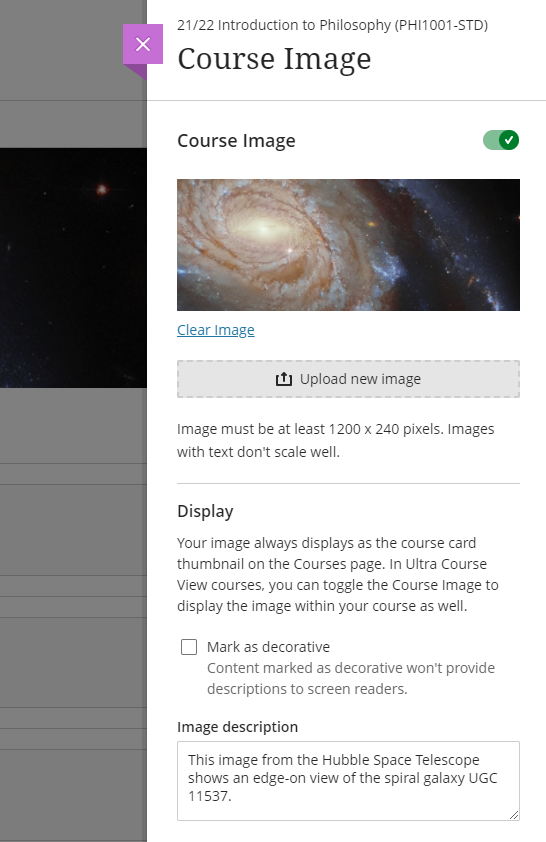
Ultra course banners were introduced in the November upgrade. These course banners should always be used as a decorative element to the course, and they are treated as such for accessibility purposes, informing students using a screen reader that the image is decorative and does not need describing. However, December’s upgrade allows an image description to be added, and which, if used, will explain to students using a screen reader what the image contains.
More information about adding a course banner to your Ultra course can be found at: https://help.blackboard.com/Learn/Instructor/Ultra/Getting_Started/Navigate_Inside_a_Course#customize-your-course_OTP-2
More information
As ever, please get in touch with your learning technologist if you would like any more information about the December upgrade: https://libguides.northampton.ac.uk/learntech/staff/nile-help/who-is-my-learning-technologist
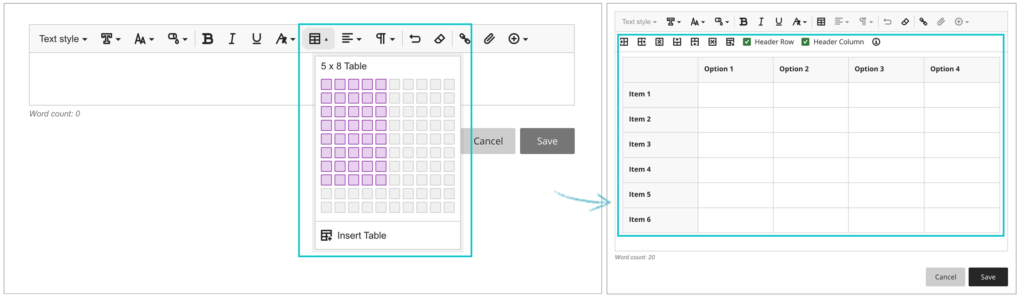
From October 8th 2021, one of the most requested features of Blackboard Ultra will finally be available: the ability to create tables in the Ultra RTE (Rich Text Editor).
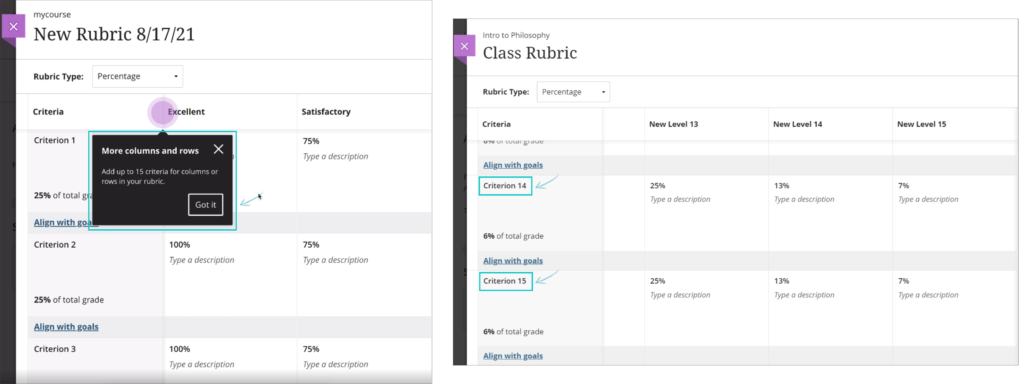
Also included in the upgrade, from the 8th of October onwards the maximum number of columns and rows in Blackboard Ultra rubrics will increase from ten to fifteen.
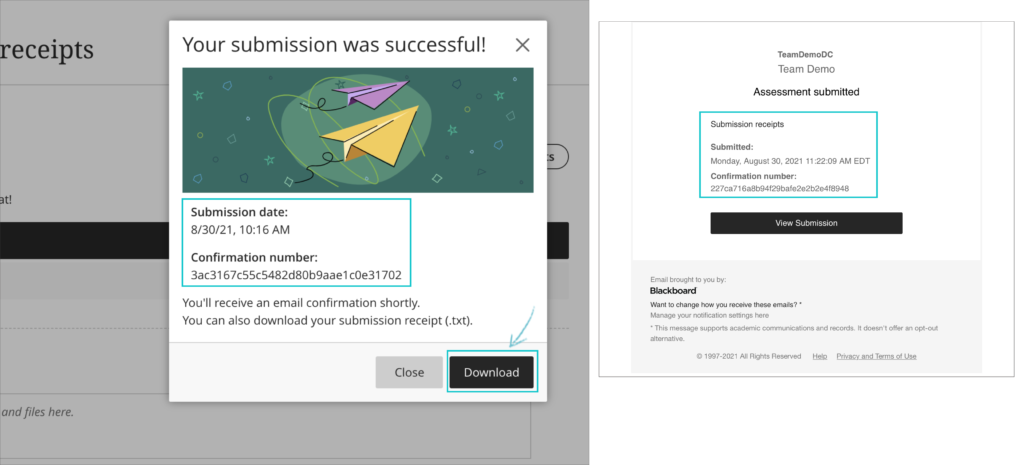
And when students submit Blackboard Ultra assignments, from the 8th of October they will receive confirmation via email and downloadable receipt that their submission has been successful. Please note that this does not apply to Turnitin assignments in Blackboard Ultra courses. Students will still be able to download their submission receipts for Turnitin assignments in Ultra courses, but will not be emailed submission receipts. Emailed submission receipts will only be available for Blackboard assignments in Ultra courses from 8th October onwards.
Also included in the upgrade are various other minor big fixes, etc.
August 6th 2021 will bring some important changes to Blackboard Ultra courses.
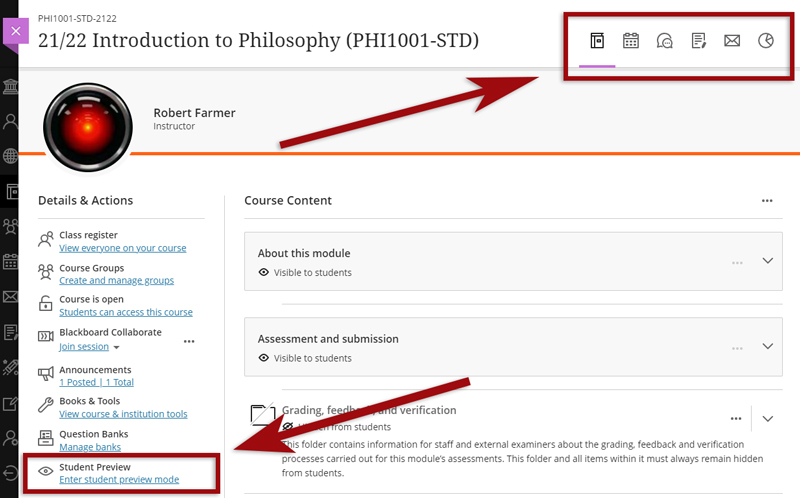
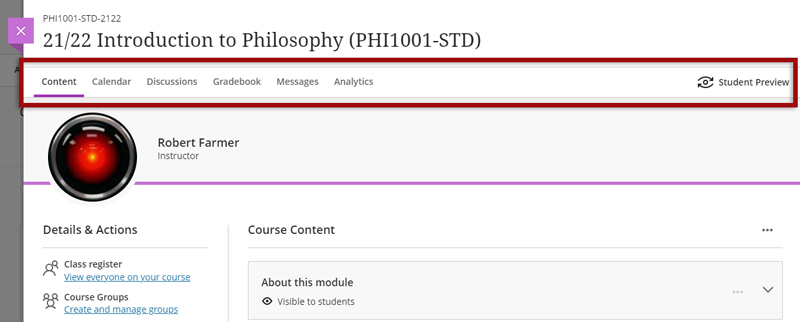
First, and most difficult to miss, is a change to the location of the Tools menu and the Student Preview button. Currently the Tools menu is on the upper right hand side of the page and is indicated by icons. This will move to the left side of the page and will become text buttons instead of icons. The Student Preview button will move from the lower left to the upper right side of the page.
Currently the Tools menu and Student Preview buttons are located as follows:
However, from 6th August onwards they can be found here:
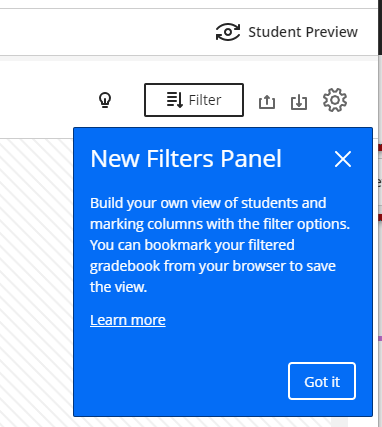
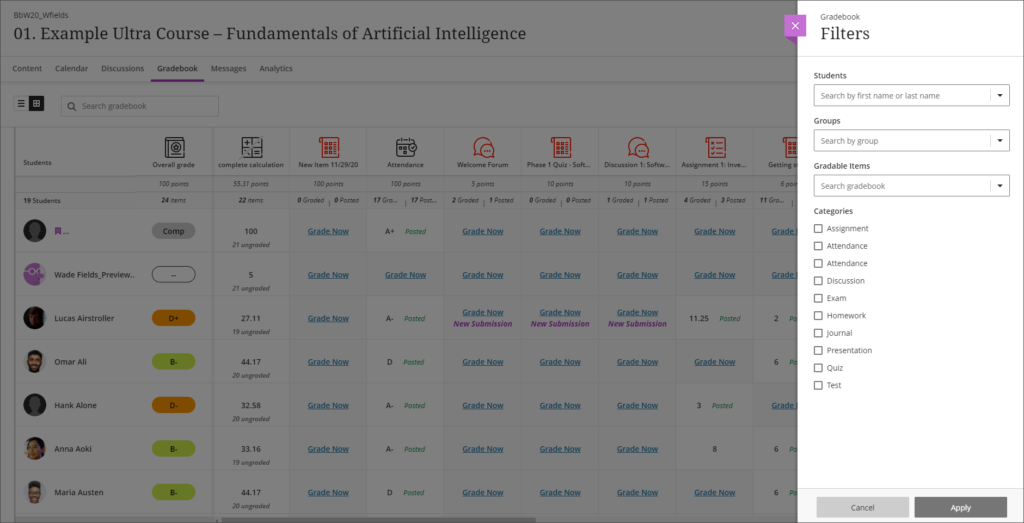
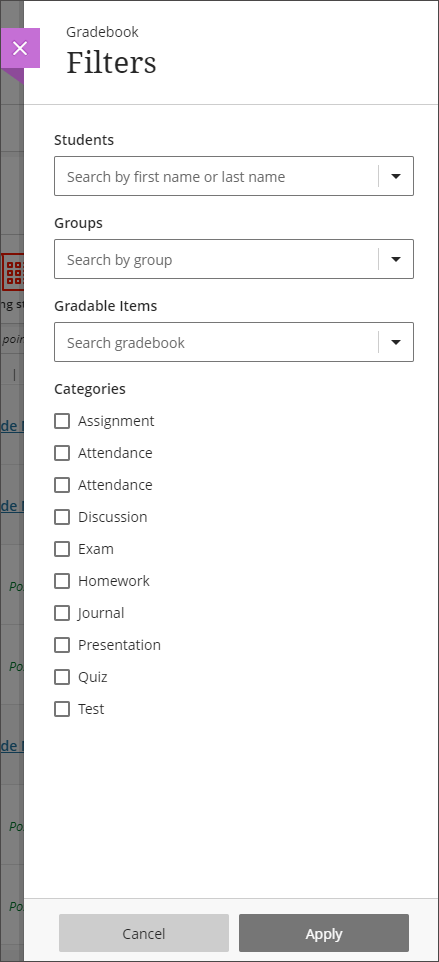
Also coming in the August upgrade is Gradebook filtering. This feature is very much like the Smart Views in Original courses, but also allows quick and easy instant filtering, as well as giving staff the ability to save preferred filters.
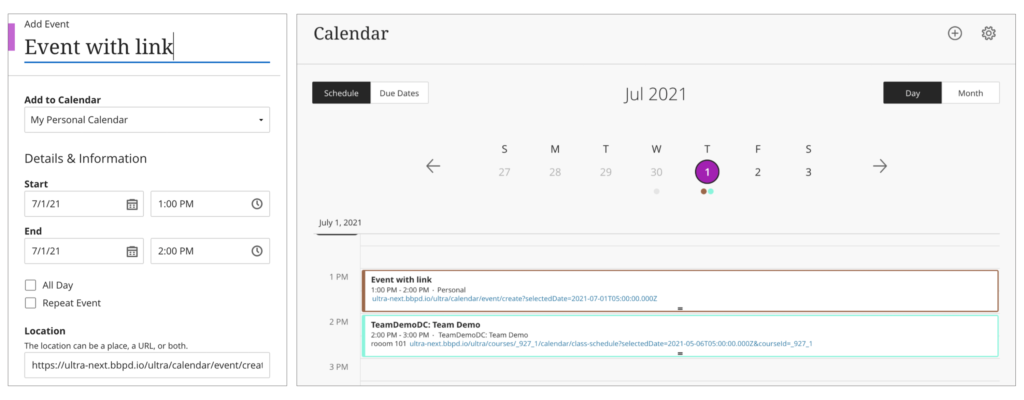
The August upgrade will bring improvements to the Calendar and to the Peer Review tool in Ultra courses. After the upgrade, hyperlinks will be supported in the calendar location field so that staff can link any virtual tool of their choice in the calendar event, and students can launch the virtual session from the calendar itself.
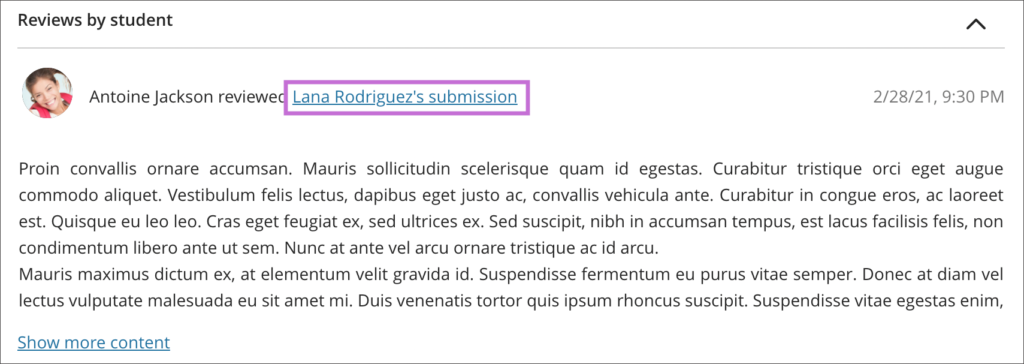
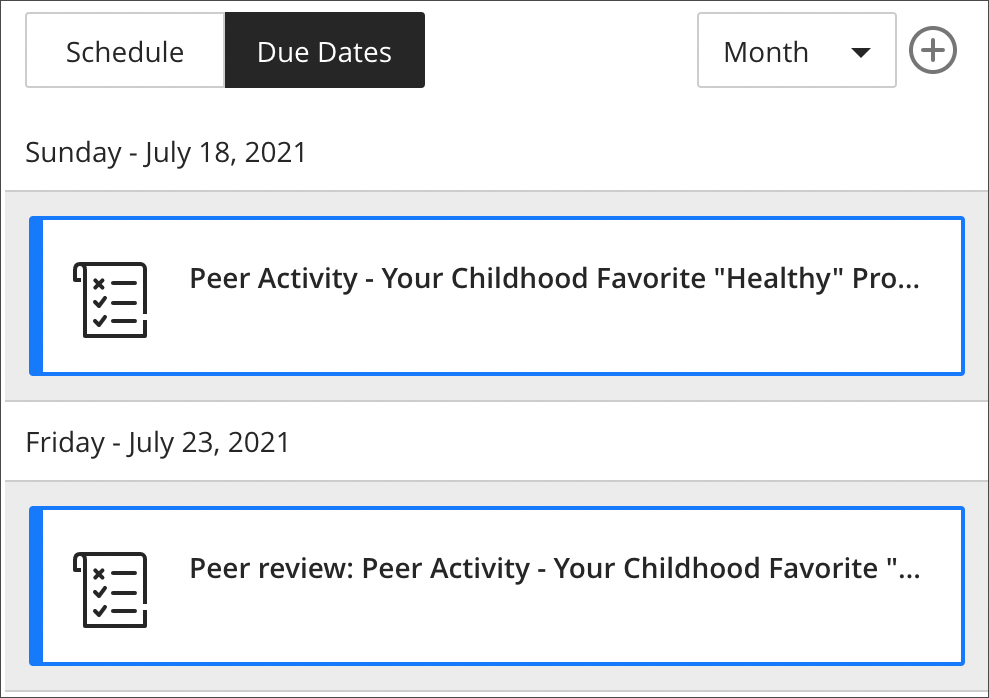
Peer Review was introduced to Ultra courses some time ago, but the August upgrade brings some useful improvements. The current capabilities of the Peer Review tool are explained in Blackboard’s guide, Peer Review for Qualitative Peer Assessments. Following the August upgrade staff will be able to access the submissions reviewed by a student right from that student’s grading panel. Students will also have direct access to the submissions available for their review from either the Due Date or the Calendar views. This makes it easier for them to act when reviewing their pending tasks.